CCTV Camera Installation for Independent Houses in Basaveshwara Nagar
Basaveshwara Nagar was laid out by the CITB in the 1970s and 80s as a grid of independent sites — LIC Colony, SBI Colony, Kirloskar Colony, and BEML Layout among them — and four decades later, that same grid means most homes here are already built, plastered, and painted. A CCTV system going into a Basaveshwara Nagar house is almost always a retrofit into a finished home, not a new-construction install planned alongside interior work. That changes the technique: instead of chasing cable inside a wall before plastering, we route it along existing conduit paths, behind skirting, and through loft or terrace-parapet spaces, using surface casing-capping painted to match your wall colour rather than breaking open a finished wall. Our studio is based right here in Basaveshwara Nagar (560079), and this page covers exactly how we plan, wire, and install CCTV for the independent houses, corner plots, and multi-floor rented homes that make up this layout.
Why Basaveshwara Nagar Needs a Different Approach
Most of our CCTV planning for newer apartment interiors happens on paper, before a single wall is plastered. Basaveshwara Nagar is the opposite case. The layout sits west of Chord Road, developed as CITB's WCR extension, and it grew as government-employee colonies — LIC, SBI, Kirloskar, and BEML — built largely as ground-floor-plus-one independent houses on 30x40 and 30x50 sites, not high-rise towers. Landmarks like Dr. B.R. Ambedkar Stadium, Sir M. Visvesvaraya Park, and the grounds near Saneguruvanahalli sit inside a grid of streets off 60 Feet Road and Siddaiah Puranik Road that has barely changed in shape since the 1980s.
What this means for a CCTV project:
- Your compound wall and gate are the entire perimeter. There is no building security desk or shared entrance camera to rely on, unlike an apartment complex. Every entry point on your own site needs its own coverage.
- Corner plots are common. CITB's grid produced a high proportion of corner sites. A camera covering only the "main" road misses the cross street entirely.
- Nearly every house has a terrace. Rooftop water tanks, drying areas, and sit-outs are standard on independent houses here, so a terrace-access camera is closer to necessary than optional.
- Walls are already finished. Retrofit techniques — paint-matched surface casing, routing along existing conduit, skirting-level channels — replace the concealed-during-construction approach used on fresh interior projects.
- Many houses are now multi-generational or multi-tenant. A ground-floor owner with an upper floor rented out is a common pattern as the original colony families have grown, and camera coverage needs to respect the tenant's own privacy.
Camera Types Suited to Independent Houses
Bullet Cameras (Compound Wall & Gate)
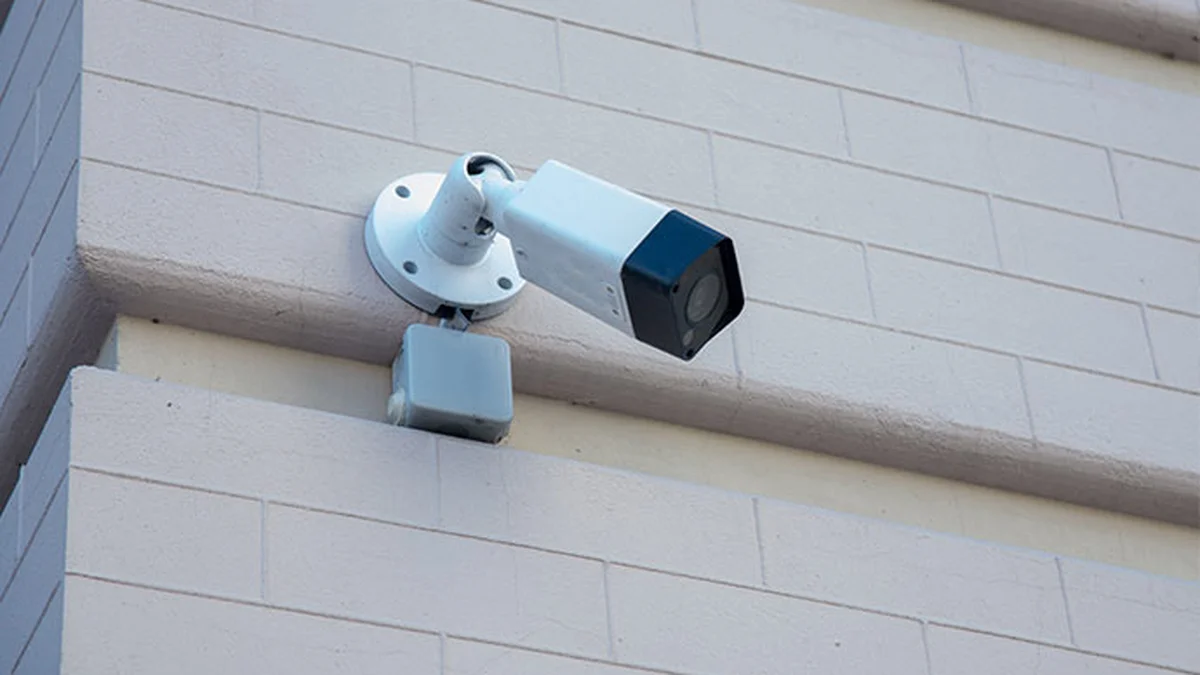
Bullet cameras are the primary camera type for Basaveshwara Nagar homes, mounted on the compound wall pillar or gate header, angled down the driveway or entrance path. IP67 weatherproofing is required — these cameras sit fully exposed through the monsoon. A corner plot needs two, one per road frontage.
Dome Cameras (Portico & Verandah)
Dome cameras mount flush to the portico or verandah ceiling, common on independent houses with a covered car porch at the front. They give a wide angle over the parking area and front door without the bulkier bullet housing.
PTZ Cameras (Larger Plots)
Some of the older Kirloskar and BEML colony sites run larger than the standard 30x40, with more garden or open yard space. A single PTZ camera on the terrace parapet can cover the full compound in place of two or three fixed cameras, at a higher per-unit cost.
Mini / Pinhole Cameras (Ground-Floor Shop-Cum-Residence)
A number of properties fronting 60 Feet Road and the main colony roads run a small shop or office on the ground floor with residence above. A discreet mini camera at the counter or entrance, separate from the home's main system, is a common addition here.
Wireless / WiFi Cameras (Rented Floor)
Where an upper floor is rented out, a tenant-owned wireless camera covering only their own door is the cleanest solution — no new wiring, no access to the owner's NVR, and no privacy overlap. See the section on rented floors below.
Plot-by-Plot Placement Guide
Main Gate & Compound Wall
A bullet camera on the gate pillar, angled to capture the entrance path and any vehicle pulling in. This is the single most important camera on an independent site, equivalent to the entrance camera on an apartment door.
Corner Plot: Dual Road Frontage
If your site faces two roads — common across the CITB grid here — mount a second bullet camera on the cross-street-facing compound wall. Both feed the same NVR. Skipping this leaves one entire side of your property unmonitored, which we see missed on a majority of the corner-plot retrofits we survey in this layout.
Portico / Verandah Entrance
A dome camera on the portico ceiling covers the front door and car porch. Position it clear of any hanging plant or creeper on the compound wall, which tends to grow into the frame within a season if not accounted for.
Side Passage to Backyard
Most 30x40 and 30x50 independent sites here have a narrow side passage connecting the front to a backyard, servant quarters, or utility area. This passage is a common blind spot — a compact dome or mini camera at the passage entrance closes it off.
Terrace Access
With a rooftop water tank, drying area, or sit-out on nearly every house in this layout, a weatherproof bullet camera at the terrace stairwell door is close to standard rather than optional, both for security and for monitoring the water tank and drying area.
Rented Floor: Shared Areas Only
Where an upper floor is let out, the owner's cameras should stop at the shared staircase, the shared terrace, and the main gate. The tenant's own door, window, or balcony should never be in frame. A tenant who wants their own coverage installs a separate wireless camera on their own request, unconnected to the owner's NVR.
Where Not to Place Cameras
- Bedrooms and bathrooms — on any floor, owner's or tenant's
- A tenant's private door, window, or balcony — without the tenant's knowledge and consent
- A neighbour's compound, window, or balcony — corner-plot cameras must be angled to stay within your own boundary, not sweep into the adjoining site
What CCTV Costs in Basaveshwara Nagar
Because nearly every job here is a retrofit into an already-finished home, the figures below already include paint-matched surface wiring and installation — this is the standard case for this layout, not an add-on.
| Setup | Cameras | Resolution | Storage | Retrofit Cost Range |
|---|---|---|---|---|
| Basic (gate + portico) | 2 (1 bullet + 1 dome) | 2MP | 1TB HDD (15 – 20 days) | Rs 18,000 – 28,000 |
| Standard independent house | 4 – 5 (gate, portico, side passage, terrace) | 4MP | 1 – 2TB HDD (20 – 35 days) | Rs 35,000 – 55,000 |
| Corner plot (dual frontage) | 6 | 4MP | 2TB HDD (25 – 35 days) | Rs 48,000 – 70,000 |
| Multi-floor rented home | 5 shared + 1 tenant-owned (WiFi, separate) | 4MP | 2TB HDD (owner) + microSD (tenant) | Rs 40,000 – 60,000 |
GST on CCTV equipment is 18% (HSN code 8525 for cameras, 8521 for NVR/DVR) as classified by CBIC, inclusive in all figures above. If your preferred brand is Dahua, its Bangalore service centre is in Rajajinagar, a two-kilometre drive from most Basaveshwara Nagar addresses, which keeps warranty visits quick.
Retrofit Wiring for Already-Built Homes
This is the core difference between our Basaveshwara Nagar CCTV work and a fresh-interior installation. Almost every wall here is already plastered and painted, so we do not plan concealment before construction — we plan it around what already exists.
Route Along Existing Conduit
Wherever your house has an existing electrical conduit run — from the meter box to a switch board, for instance — we pull the new CAT6 cable alongside it rather than opening a fresh channel. This works for a large share of the run on most houses in this layout, since the original 1970s and 80s electrical layouts followed simple, straight paths.
Paint-Matched Surface Casing
For any stretch with no existing conduit to share, we use slim PVC casing-capping, screwed flush to the wall and painted to match your exterior or interior wall colour before handover. From two metres away it reads as a paint line, not a cable. This is far less invasive than full wall-channelling and re-plastering, and is the default technique for retrofit jobs in this layout.
Loft and Terrace-Parapet Routing
Where a house has a loft, attic space, or accessible terrace-parapet cavity, the cable runs through it instead of down an exposed wall face — useful for reaching a terrace camera or an upper-floor gate camera without a long visible run.
Skirting-Level Channel as Last Resort
Only where no conduit, loft, or surface-casing route is practical do we cut a shallow channel at skirting level and re-plaster a narrow strip. This is used sparingly — typically for a single side-passage stretch — and kept to the minimum length needed.
NVR Placement
Most independent houses in this layout have a ground-floor store room or under-stair storage space, which is where the NVR, PoE switch, and UPS usually end up. This needs a dedicated 15A socket on the inverter circuit and, importantly, ventilation — a sealed under-stair cupboard traps heat and shortens the hard disk's life.
IP vs Analog vs Wireless — Which Fits a Retrofit?
| Factor | IP (Network) Cameras | Analog (HD-TVI/CVI) | Wireless (WiFi) |
|---|---|---|---|
| Cabling | Single CAT6 cable, video + power via PoE | Coaxial + separate power cable | Power only, or battery |
| Retrofit-friendliness | Best — one cable to route through casing or existing conduit | Harder — two cables need routing space | Easiest — no cable routing at all |
| Cost per camera | Rs 3,000 – 20,000 | Rs 1,500 – 8,000 | Rs 2,000 – 6,000 |
| Best fit here | Owner's main system — gate, portico, terrace, side passage | Budget retrofits with an existing coaxial run | Tenant's private floor, or a detached sit-out with no conduit access |
Our recommendation: IP cameras with PoE for the main house system, routed via existing conduit and paint-matched casing. A wireless camera is the right call specifically for a rented upper floor, where the tenant wants their own view without any access to, or dependency on, the owner's wiring and NVR.
Storage for Multi-Floor Homes
An 8-channel NVR with a 2TB hard disk is our standard recommendation for a Basaveshwara Nagar independent house, giving 25 to 35 days of retention on 4MP recording and headroom to add a camera later without swapping the recorder. Where a floor is rented out, the tenant's own wireless camera stores separately — typically to a microSD card or a low-cost cloud plan — keeping their footage entirely outside the owner's system, which avoids any dispute over who can view what.
BIS Standards and Legal Points for Basaveshwara Nagar Homes
- BIS IS 732:2019 — all power wiring for cameras and the NVR must comply with this Bureau of Indian Standards code, whether newly run or spliced into an existing circuit.
- Surge protection — exposed compound-wall and terrace cameras need surge protectors at both ends of the run. Basaveshwara Nagar's older overhead power lines see their share of monsoon-season surges, and an unprotected outdoor run can take out the NVR along with every connected camera.
- Property boundary — corner-plot and side-passage cameras must be angled to stay within your own compound; footage of a neighbour's private area is a common source of disputes on adjoining sites in this layout.
- Tenant privacy — where a floor is rented, shared-area cameras (gate, staircase, terrace) are fine with disclosure; a camera facing the tenant's own door or window is not, and audio recording without the knowledge of the person recorded may violate the Indian Telegraph Act, 1885.
- Data retention — footage involving domestic help, delivery staff, or a tenant is personal data under the Digital Personal Data Protection Act, 2023. Limit access and delete it after 30 to 90 days.
- Registering your system with your local police station is voluntary in Bangalore but speeds up response and evidence handling during an incident.
Where Basaveshwara Nagar Installs Go Wrong
1. Corner plot with only one camera. The gate camera covers the main road; the cross street stays completely blind. This is the single most common gap we find on corner-site surveys in this layout.
2. Camera swallowed by compound-wall plants. Gardens along the older CITB compound walls tend to have a creeper or hedge that was trimmed clear at installation and grown back into the frame within a season. We flag this at the annual maintenance visit.
3. Unpainted white PVC casing on a coloured wall. Surface casing left in its factory white against a painted compound wall or verandah defeats the point of a clean retrofit. We paint every visible casing run before handover.
4. NVR sealed in an under-stair cupboard with no airflow. A very common storage spot in these houses, and a very common cause of an NVR hard disk failing well before its expected life if there is no ventilation.
5. Terrace cable left exposed along the parapet edge. Cable run openly along a terrace parapet degrades faster under Bangalore's monsoon UV and rain than one routed through the parapet cavity or a proper cable tray.
6. Owner's camera pointed at the tenant's door. On multi-floor rented homes, this is both a privacy problem and, if undisclosed, a legal one. Shared areas only, always disclosed.
From Site Visit to Handover
Step 1: Site survey. Because our studio is based in Basaveshwara Nagar itself (560079), a first visit is usually possible within the same week, sometimes the same day. We walk the compound, note every existing conduit and loft access point, and measure cable runs to the gate, portico, side passage, and terrace.
Step 2: Camera and equipment specification. A detailed bill of quantities covering every camera, the NVR, hard disk, PoE switch, UPS, casing, and mounting hardware, with unit costs and a total, so you see exactly what you are paying for.
Step 3: Retrofit wiring plan. Rather than a fresh electrical layout drawing, we mark the route onto your existing wiring plan — which stretches reuse conduit, which need paint-matched casing, and which single stretch, if any, needs a skirting-level channel.
Step 4: Installation, testing, and handover. Cameras and cable are installed with minimal disruption to your existing walls and finishes. Every angle is verified on the live feed, night vision is checked after dark, and the phone app is set up on your device before we leave.
Step 5: Training and support. A walkthrough of live view, playback, motion alerts, and adding users, plus NVR admin credentials and a printed troubleshooting guide. Installation and cameras carry a 12-month warranty, with an optional AMC at Rs 3,000 to 5,000 per year covering up to 8 cameras — useful given how quickly compound-wall plants and terrace cable exposure can affect a system here if left unchecked.
Planning smart controls along with the cameras? See home automation for Basaveshwara Nagar houses. Owners in nearby areas can read the Rajajinagar CCTV guide and the Mahalakshmi Layout CCTV guide.
Basaveshwara Nagar CCTV Questions
Is CCTV installation different for independent houses in Basaveshwara Nagar compared to apartments?
Yes. Basaveshwara Nagar is a CITB-developed layout from the 1970s and 80s, built mostly as independent sites rather than apartment blocks, so there is no shared building security or common CCTV system to plug into. Your compound wall, gate, and terrace are your own perimeter to cover, and most homes here are already finished, so the job is a retrofit into plastered walls rather than concealment planned during fresh construction. We route cable along existing conduit paths, behind skirting, and through loft or terrace-parapet spaces, using paint-matched surface casing where a wall cannot be opened.
Can cameras be added without breaking open plastered walls in an already-built house?
Yes, in most cases. We route CAT6 cable along the same path as your existing electrical wiring wherever a conduit or loft space already exists, and use slim PVC casing-capping painted to match your wall colour for any visible stretch. Full wall-channelling and re-plastering is used only where no other route is possible, such as a side passage with no existing conduit. This keeps the retrofit cost and disruption well below a full re-wiring job.
Do corner plots in Basaveshwara Nagar need extra cameras?
Yes. Basaveshwara Nagar's CITB grid has a high share of corner sites, and a single camera at the main gate only covers one road frontage. A corner plot needs two bullet cameras, one for each road-facing compound wall, both feeding the same NVR. Budget for one extra camera and a longer cable run compared to a mid-block plot.
How do I monitor common areas without invading my tenant's privacy on a rented floor?
Many Basaveshwara Nagar houses have a ground-floor owner portion with an upper floor rented out, a common pattern in the older LIC, SBI, Kirloskar, and BEML colony homes. Cameras should cover shared access points only, the main gate, the staircase leading to the tenant's floor, and the shared terrace, never the tenant's own door, window, or balcony. Inform your tenant that shared-area CCTV is in operation. A separate wireless camera on the tenant's own request, covering only their private entrance, is common and does not need to connect to your NVR at all.
How much does CCTV installation cost for a typical Basaveshwara Nagar independent house?
A 4 to 6 camera retrofit system for a single independent house, covering the gate, portico, side passage, and terrace, costs Rs 35,000 to 65,000 including cameras, NVR, hard disk, paint-matched surface wiring, and installation. Corner plots and multi-floor rented homes typically add Rs 8,000 to 15,000 for the extra camera and longer cable runs. This is higher than a fresh-construction install because concealed channelling into a finished wall costs more than routing cable before plastering.
Do you serve areas near Basaveshwara Nagar too?
Yes. Our studio is based in Basaveshwara Nagar (560079) and we regularly install and retrofit CCTV in the neighbouring layouts of Rajajinagar, Mahalakshmi Layout, Vijayanagar, and Malleshwaram, all a short drive away.
Book a CCTV Site Visit in Basaveshwara Nagar
Tell us your plot type — corner or mid-block, single-owner or multi-floor rented — and whether it's a first-time install or an upgrade. We will send a detailed quote with camera positions marked on your compound layout.
Or call: +91 89515 00340
CCTV & Security Guides
- Full CCTV Camera Installation Guide for Bangalore
- Home Automation Interior Design in Bangalore
- Interior Design Cost by Locality in Bangalore
- Interior Design Packages in Bangalore
- Interior Design Financing and EMI Options
- Interior Design Materials and Standards