CCTV Camera Installation for Homes in Bangalore
A 4-camera IP CCTV system for a Bangalore apartment costs Rs 25,000 to 45,000 when installed during interior work — and Rs 35,000 to 60,000 as a retrofit, because surface-mounted conduits, patch-up plastering, and repainting add Rs 5,000 to 15,000 to the bill. The difference is not just cost. When camera positions, cable routes, and NVR placement are decided during the interior design phase, the cameras sit flush in false ceilings, cables run inside wall channels behind plaster, and the recording unit lives inside a ventilated utility cabinet rather than perched on a shelf with wires trailing across the wall. This page covers every detail you need to plan CCTV as part of your home interiors in Bangalore — camera types, placement by room, concealment techniques, BIS safety standards, storage options, and real costs.
Why Plan CCTV During Interior Design?
Most homeowners think of CCTV after their interiors are complete. By then, the walls are plastered and painted, the false ceiling is sealed, the carpentry is done, and running a new cable from the front door to the NVR location means one of two things: surface-mounted PVC conduit visible on the wall, or breaking open the wall to create a channel, re-plastering, and repainting. Both options are expensive, disruptive, and ugly.
When CCTV is planned at the same stage as the interior design, the designer marks camera positions on the ceiling plan, routes cable conduits alongside the electrical layout, and allocates a shelf or cabinet slot for the NVR and PoE switch. The result:
- Zero visible wiring. All cables — Ethernet (CAT6) for IP cameras, coaxial for analog — run inside the wall and ceiling cavity, exactly like electrical wiring.
- Better camera angles. The designer plans furniture placement and camera position together, so no sofa, curtain, or wardrobe blocks the camera's field of view after move-in.
- Clean aesthetic. Dome cameras inside the false ceiling look like downlights. Outdoor cameras at the entrance are recessed into wall niches or mounted under eaves with colour-matched brackets.
- Lower cost. Conduit routing during construction costs a fraction of post-construction channelling. On a 4-camera setup, the saving is Rs 5,000 to 10,000.
- Future-proofing. Extra conduit runs are laid to positions where you might add cameras later (terrace, parking, second balcony), so expansion needs no wall-breaking.
Types of Security Cameras for Indian Homes
Not every camera type fits every location. Here is what works for residential use in Bangalore, with their strengths and limitations:
Dome Cameras (Indoor)
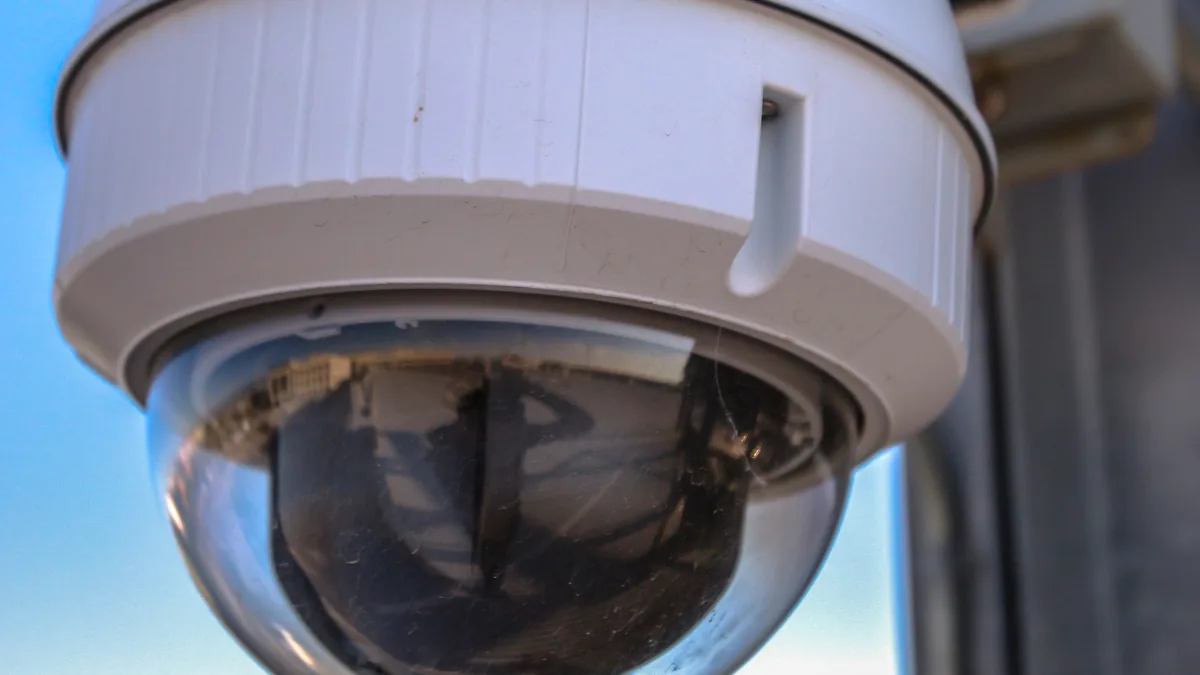
Dome cameras have a compact, rounded housing that mounts flush against a ceiling. They are the most popular choice for indoor use in apartments because they are discreet, difficult to tamper with, and cover a wide angle (90 to 130 degrees). Typical resolution: 2MP to 4MP. Night vision range: 15 to 30 metres with IR LEDs.
Best for: living rooms, hallways, lobbies, and false ceiling installations where the camera should blend in.
Bullet Cameras (Outdoor)
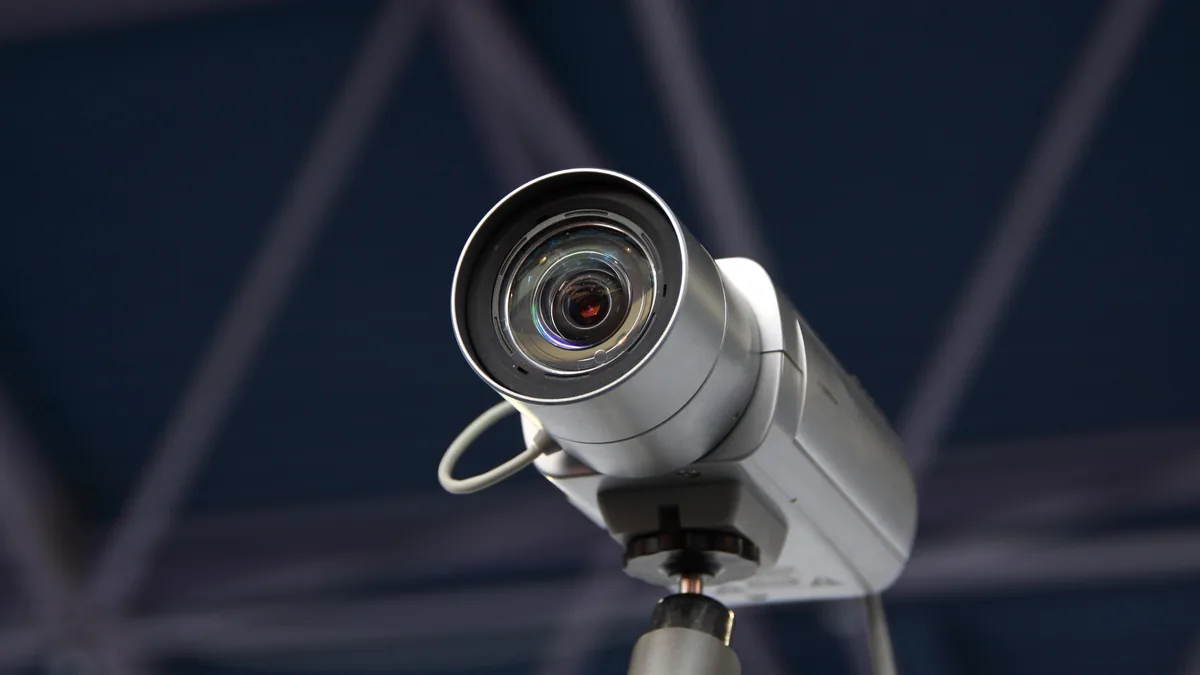
Bullet cameras have a cylindrical body with a sun shield and are designed for outdoor mounting. They have a longer focal length than dome cameras, giving better detail at a distance (useful for covering a driveway or gate from a wall-mounted position). IP67 weather rating handles Bangalore's monsoon rain without issue.
Best for: main gate, parking area, building entrance, and entrance and landscape areas.
PTZ Cameras (Pan-Tilt-Zoom)
PTZ cameras can rotate horizontally, tilt vertically, and zoom optically. They are controlled remotely via the NVR or a phone app. A single PTZ camera can cover a large open area (terrace, garden, warehouse) that would otherwise need 2 to 3 fixed cameras. They cost 3 to 5 times more than a fixed dome, so they are typically used only in villas, independent houses, and commercial spaces.
Best for: large terraces, villa compounds, and commercial interiors.
Mini Cameras / Pinhole Cameras
Miniature cameras (as small as 30mm diameter) can be concealed inside smoke detector housings, clocks, or wall plates. They are used where visible cameras would feel intrusive — a nursery, a home office, or a storeroom. Note: the people being recorded must be informed that cameras are present. Covert recording in private spaces (bedrooms, bathrooms) is illegal.
Best for: nurseries, home offices, storerooms, and safe rooms.
Wireless / WiFi Cameras
WiFi cameras connect over your home network and store footage on a microSD card or cloud service. They need no Ethernet cable, only a power outlet (some battery-powered models need no outlet at all). They are ideal for renters or furnished flats where new wiring is not an option. Drawbacks: WiFi interference can cause dropped recordings, and cloud subscriptions (Rs 200 to 500 per month per camera) add up.
Best for: rented flats, rented vs owned homes, quick setups, and single-camera needs (doorbell camera, baby monitor).
Room-by-Room CCTV Placement Guide
Every home has high-priority and optional camera positions. Here is our placement standard for Bangalore apartments and villas:
Priority 1: Main Entrance
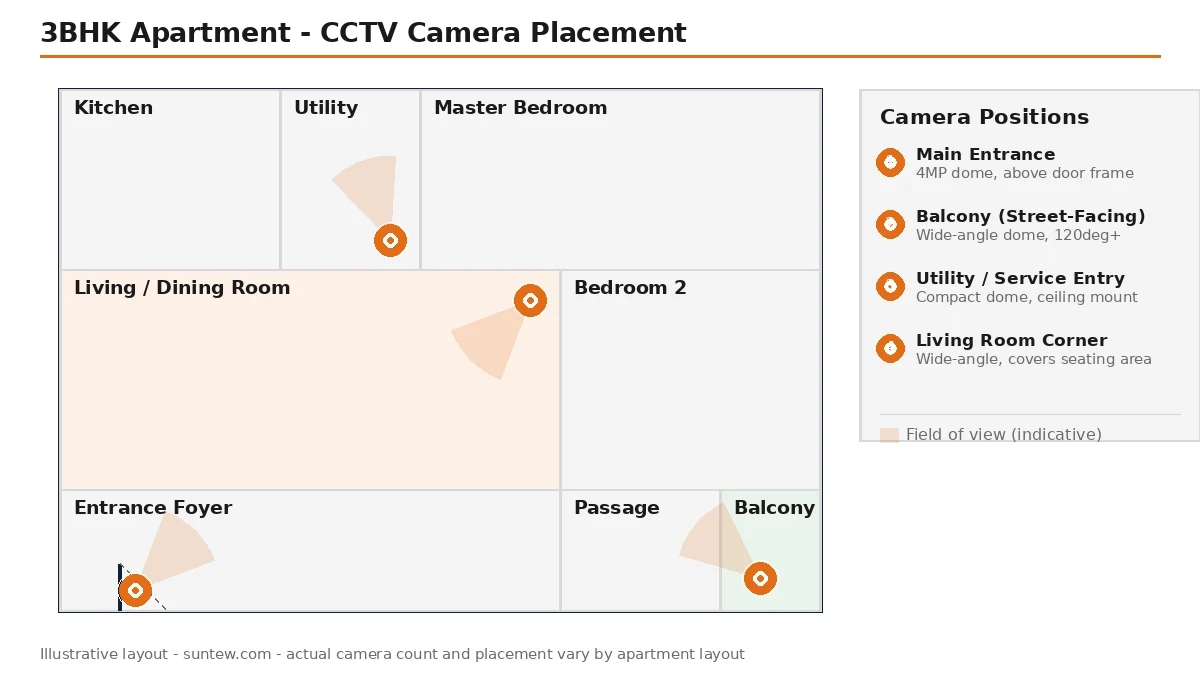
This is the single most important camera in any home. Mount a 4MP dome camera above the door frame (inside the false ceiling if available) or a compact bullet camera on the wall opposite the door, angled to capture faces at entry height (1.5 to 1.7 metres). Pair it with a video doorbell for two-way communication. The cable runs through the wall to the NVR location — your interior designer plans this conduit during the electrical layout.
Priority 2: Parking or Gate Area
For apartments with assigned parking: a bullet camera on the balcony railing or building pillar nearest to your slot, angled down at 30 to 45 degrees. For villas and independent houses: a bullet camera at the main gate post, weatherproofed to IP67. Power-over-Ethernet (PoE) eliminates the need for a separate power outlet at the gate — the camera draws power through the same Ethernet cable that carries the video signal.
Priority 3: Balcony Facing the Street
A wide-angle dome camera (120+ degrees) covers the street-facing balcony and provides a secondary view of the entrance approach. This camera doubles as a deterrent — its visible dome housing signals that the home is monitored. Mount it inside the balcony false ceiling or under the eave overhang.
Priority 4: Service Entrance / Back Door
If your apartment has a utility balcony with a service door (common in Bangalore apartments from Prestige, Brigade, Sobha, and Puravankara), a camera here covers domestic help entry, delivery handoffs, and the washing machine area. A compact dome camera on the utility ceiling is sufficient.
Optional: Living Room Wide-Angle
A single dome camera in the living room corner, near the ceiling, covering the main seating area and entrance hallway. This is useful for monitoring domestic help when you are away and for checking on elderly family members. Position it where furniture does not block the view — the interior layout determines this.
Optional: Staircase Landing (Duplex / Villa)
For duplexes and villas, a camera at the staircase landing covers movement between floors. Mount it on the wall above the landing at 2.4 to 2.7 metre height, angled down to capture the full staircase width.
Optional: Terrace / Roof Access
A weatherproof bullet camera at the terrace door or rooftop access point. This prevents unauthorised access and monitors terrace activities (garden, laundry, play area). For villas with large terraces, a PTZ camera covers the entire area from one position.
Where NOT to Place Cameras
- Bedrooms — recording in bedrooms raises serious privacy issues, even in your own home when domestic help or guests are present
- Bathrooms — illegal under any circumstance
- Facing a neighbour's door, window, or balcony — violates privacy norms and can lead to complaints with the apartment association or police
- Common areas (corridor, lift lobby) without the apartment association's written permission — these are shared spaces, and unilateral camera installation is not permitted
How Much Does Home CCTV Cost in Bangalore?
Costs below include cameras, NVR, hard disk, CAT6 cabling, connectors, PoE switch (if needed), installation labour, and basic configuration. They assume installation during interior work (concealed wiring). Add 15 to 25 percent for a retrofit on a furnished flat.
| Setup | Cameras | Resolution | Storage | Cost Range |
|---|---|---|---|---|
| Basic (2BHK apartment) | 4 (2 dome + 2 bullet) | 2MP | 1TB HDD (15 – 20 days) | Rs 25,000 – 35,000 |
| Standard (3BHK apartment) | 6 (4 dome + 2 bullet) | 4MP | 2TB HDD (25 – 35 days) | Rs 50,000 – 80,000 |
| Premium (3BHK / 4BHK) | 8 (5 dome + 2 bullet + 1 PTZ) | 4MP – 8MP | 4TB HDD (45+ days) | Rs 1 – 1.5 lakh |
| Villa / Independent House | 10 – 16 | 4MP – 8MP | 4 – 8TB HDD | Rs 1.5 – 3.5 lakh |
Brand-Wise Price Comparison (Per Camera, Including Installation)
| Brand | 2MP Dome | 4MP Dome | 4MP Bullet (Outdoor) | Service Centre in Bangalore |
|---|---|---|---|---|
| CP Plus | Rs 2,500 – 3,500 | Rs 4,000 – 5,500 | Rs 4,500 – 6,000 | Yes (Majestic, SP Road) |
| Hikvision | Rs 3,000 – 4,000 | Rs 5,000 – 7,000 | Rs 5,500 – 7,500 | Yes (Peenya, Whitefield) |
| Dahua | Rs 2,800 – 3,800 | Rs 4,500 – 6,000 | Rs 5,000 – 6,500 | Yes (Rajajinagar) |
| Axis Communications | Rs 8,000 – 12,000 | Rs 12,000 – 18,000 | Rs 15,000 – 22,000 | Yes (Koramangala) |
| Bosch Security | Rs 10,000 – 15,000 | Rs 15,000 – 22,000 | Rs 18,000 – 25,000 | Yes (Whitefield) |
GST on CCTV equipment is 18% (HSN code 8525 for cameras, 8521 for NVR/DVR) as classified by CBIC. Installation labour attracts 18% GST when billed by a registered integrator. All prices above are inclusive of GST.
Concealed Wiring and Aesthetic Integration
This is where interior design and CCTV installation meet. The goal is simple: every cable hidden, every camera purposeful, every piece of hardware tucked away. Here is how we achieve it:
Cable Routing
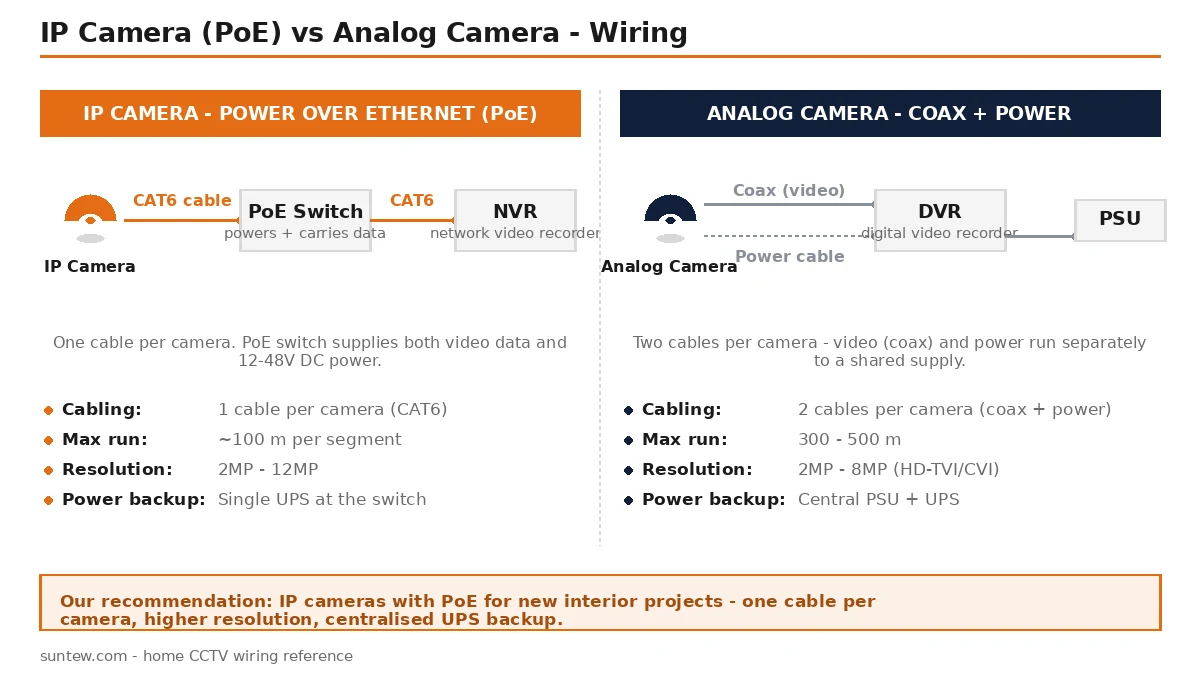
IP cameras use a single CAT6 Ethernet cable for both video and power (Power-over-Ethernet). This cable runs from the camera location through the false ceiling cavity, down a wall channel (chased into the brick before plastering), and to the NVR location. The route is planned on the electrical layout drawing, alongside power and data conduits, before any civil work begins.
For cameras at the main gate or parking (outside the apartment), the cable exits through a wall sleeve and runs inside a PVC conduit along the building's cable tray. The materials and standards page covers the conduit specifications we follow.
Camera Colour Matching
Most dome cameras come in white. If your false ceiling is painted a custom shade (warm white, ivory, grey), we paint the camera dome ring to match. The camera lens window stays clear. From floor level, a colour-matched dome camera looks like a recessed spotlight.
NVR and Network Equipment Cabinet
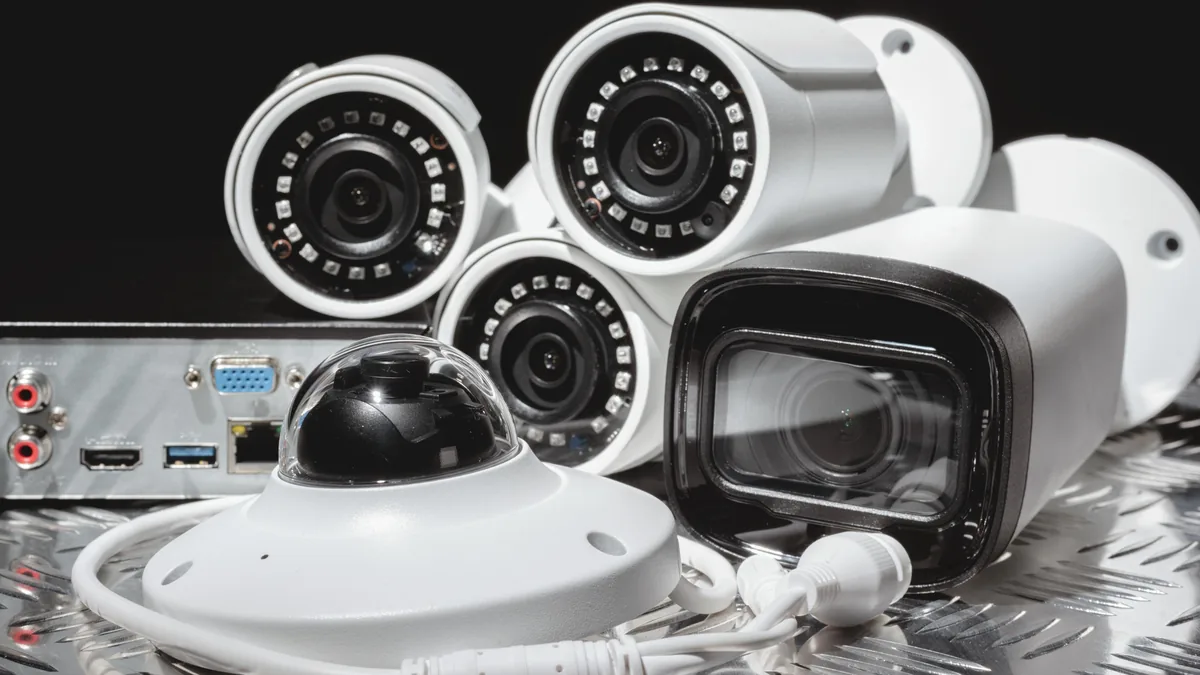
The NVR (Network Video Recorder), PoE switch, network switch, and UPS live in a dedicated cabinet. In apartments, this is typically a 600mm x 400mm wall-mounted rack inside the utility area, broom closet, or a false wall behind the wardrobe. In villas, a small server rack (6U to 9U) in the utility room handles the job. The cabinet needs:
- Ventilation holes or a small exhaust fan (equipment generates heat)
- A dedicated 15A power socket on the inverter/UPS circuit
- Cable entry points from the top and bottom
- Lockable door (especially if domestic help has access to the utility area)
Outdoor Camera Concealment
For villas with entrance and landscape design, outdoor cameras can be recessed into wall niches, mounted inside lamp housings, or placed under roof eave overhangs with matching brackets. The key is planning the camera position before the mason finishes the external wall, so the niche or cable sleeve is built into the structure.
IP vs Analog vs Wireless — Which System to Choose?
| Factor | IP (Network) Cameras | Analog (HD-TVI/CVI) | Wireless (WiFi) |
|---|---|---|---|
| Video quality | 2MP to 12MP; sharp digital image | 2MP to 8MP; good but slightly behind IP | 2MP to 4MP; depends on WiFi bandwidth |
| Cabling | CAT6 Ethernet (single cable for video + power via PoE) | Coaxial cable + separate power cable | Power cable only (or battery) |
| Max cable run | 100 metres per segment | 300 – 500 metres | WiFi range (10 – 30 metres through walls) |
| Cost per camera | Rs 3,000 – 20,000 | Rs 1,500 – 8,000 | Rs 2,000 – 6,000 |
| Storage | NVR with HDD | DVR with HDD | MicroSD or cloud (monthly fee) |
| Remote viewing | Yes, via app and web | Yes, via app | Yes, via app |
| Best for | New interiors (our recommendation) | Budget setups, long cable runs | Rented flats, single-camera needs |
Our recommendation: IP cameras with PoE for all new interior projects. One cable per camera, high resolution, and the PoE switch provides centralised power backup through a single UPS. Analog systems are cheaper per camera but need two cables (video + power) per run, which doubles the conduit space inside walls. Wireless cameras are fine as temporary additions but should not be your primary security system — WiFi drops during peak evening hours (when most break-ins happen) are common in Bangalore apartment buildings with 50+ WiFi networks in range.
Storage Options — NVR, DVR, and Cloud
NVR (Network Video Recorder)
An NVR stores IP camera footage on an internal hard disk. It connects to cameras through a PoE switch or built-in PoE ports. Modern NVRs support 4, 8, 16, or 32 channels. For most homes, an 8-channel NVR (even if you start with 4 cameras) gives room to add cameras later without replacing the recorder.
Storage capacity guide:
| Cameras | Resolution | 1TB HDD | 2TB HDD | 4TB HDD |
|---|---|---|---|---|
| 4 | 2MP | ~20 days | ~40 days | ~80 days |
| 4 | 4MP | ~10 days | ~20 days | ~40 days |
| 8 | 4MP | ~5 days | ~10 days | ~20 days |
Figures assume continuous recording at 15 fps with H.265 compression. Motion-based recording extends retention by 2x to 3x.
DVR (Digital Video Recorder)
DVRs are used with analog cameras. They work the same way as NVRs but accept coaxial cable input instead of Ethernet. If you are retrofitting an older building that already has coaxial cable runs, a DVR reuses the existing wiring. Otherwise, NVR is the better choice for new installations.
Cloud Storage
WiFi cameras from TP-Link, Realme, and Mi offer cloud storage through monthly subscriptions (Rs 200 to 500 per camera per month). Footage is stored on the manufacturer's servers and accessible from your phone. The advantage is off-site backup — even if a burglar steals the camera, the footage is safe in the cloud. The disadvantage is ongoing cost, dependency on your internet connection, and privacy concerns about video stored on third-party servers.
Our approach: local NVR storage as the primary system, with optional cloud backup on 1 to 2 priority cameras (main entrance, parking) for off-site redundancy.
BIS Safety Standards and Legal Requirements
CCTV installation in Indian homes must follow these standards:
- BIS IS 732:2019 — Code of Practice for Electrical Wiring Installations. All power supply wiring for cameras and NVR must comply with this standard. The Bureau of Indian Standards publishes the full specification.
- BIS IS 13252 — Standard for CCTV systems used in security applications. While primarily aimed at commercial installations, the wiring and grounding requirements apply to residential systems as well.
- PoE power budget — IEEE 802.3af (15.4W per port) handles most dome and bullet cameras. PTZ cameras may need IEEE 802.3at (25.5W) or 802.3bt (60W to 90W). The PoE switch must be rated for the total power draw of all connected cameras.
- Cable fire rating — CAT6 cables running inside walls and false ceilings should be LSZH (Low Smoke Zero Halogen) rated, especially in apartments. Standard PVC-jacketed cables emit toxic smoke during a fire.
- Surge protection — outdoor cameras connected via Ethernet need surge protectors at both ends of the cable run. Bangalore experiences frequent lightning during the monsoon (June to September), and an unprotected cable run from the gate to the NVR can carry a surge that destroys the NVR and every camera connected to it.
Legal Considerations
- CCTV on your own property is legal. Cameras inside common areas need the apartment association's written consent.
- Audio recording without the knowledge and consent of the person being recorded may violate the Indian Telegraph Act, 1885 (Section 5). We recommend disabling audio recording on indoor cameras unless specifically needed and disclosed.
- Footage involving domestic help, delivery staff, or visitors is personal data under the Digital Personal Data Protection Act, 2023. Store it securely, limit access, and delete it after a reasonable period (30 to 90 days).
- The Karnataka Police advise registering residential CCTV systems with the nearest police station. Registration is voluntary but speeds up police response and evidence submission during an incident.
Common Mistakes With Home CCTV
These are errors we see repeatedly in Bangalore homes where CCTV was installed without coordinating with the interior design:
1. Camera behind a curtain rod. A ceiling-mounted camera near a window gets blocked the moment someone draws the curtain. The interior designer positions the camera forward of the curtain track, not behind it.
2. Backlit entrance camera. The main door camera faces a bright corridor light or a window at the end of the hallway. The person entering is a dark silhouette against the glare. Fix: angle the camera downward or use a WDR (Wide Dynamic Range) camera that handles high-contrast scenes.
3. NVR in a closed cabinet with no ventilation. The NVR hard disk runs at 45 to 55 degrees Celsius. In a sealed cabinet inside a Bangalore summer (ambient 35+ degrees), the disk overheats and fails within 12 to 18 months. Fix: ventilation holes, a small 12V exhaust fan, or an open-back cabinet.
4. Single power source for all cameras. All cameras and the NVR on one circuit breaker means a single MCB trip takes down the entire security system. Fix: separate MCBs for the NVR and for groups of cameras, both on the inverter/UPS circuit.
5. No signage. In apartment complexes, not disclosing that your unit has CCTV recording can lead to disputes with domestic help or neighbours. A small "CCTV in Operation" sticker at the entrance is both a deterrent and a legal safeguard.
6. Buying grey-market cameras. Cameras sold on AliExpress or through unofficial importers have no warranty support in India. When a board fails after 14 months (just past the manufacturer's warranty), there is no service centre to turn to. We source all equipment through authorised Indian distributors with local warranty and service centres in Bangalore.
Our 5-Step Security Design Process
Step 1: Site survey. We visit your apartment or villa, photograph every entry point, assess lighting conditions at different times of day, and measure cable run distances. For new constructions, we work from the architect's drawings.
Step 2: Camera and equipment specification. Based on the survey, we prepare a detailed bill of quantities listing each camera model, NVR, hard disk, PoE switch, UPS, cables, connectors, and mounting hardware — with unit costs and total. You see exactly what you are paying for.
Step 3: Integration into interior drawings. Our interior design team marks every camera position on the false ceiling plan and every cable route on the electrical conduit layout. The NVR cabinet location is added to the utility area or wardrobe detailing. This step ensures zero visible wiring and zero conflicts with other interior elements.
Step 4: Installation, testing, and handover. Licensed technicians install all cabling during the electrical phase, mount cameras after painting, and configure the NVR with motion zones, recording schedules, and remote access. Every camera angle is verified on the live feed, night vision is tested in dark conditions, and the phone app is set up on your device.
Step 5: Training and support. We walk you through the app: live view, playback, snapshot download, motion alerts, and adding new users. You receive the NVR admin credentials, a printed QR code for quick app login, and a one-page troubleshooting guide. Our warranty covers cameras and installation for 12 months, with an optional AMC (Annual Maintenance Contract) at Rs 3,000 to 5,000 per year for systems up to 8 cameras.
Frequently Asked Questions
How much does home CCTV installation cost in Bangalore?
A basic 4-camera IP system for a 2BHK or 3BHK apartment in Bangalore costs Rs 25,000 to 45,000 including cameras, NVR, hard disk, cabling, and installation. A mid-range 6 to 8 camera setup with 4MP resolution, night vision, and weatherproof housings costs Rs 50,000 to 1.2 lakh. Premium systems with PTZ cameras, face recognition, and centralised monitoring go beyond Rs 1.5 lakh. When planned during interior work, concealed wiring costs Rs 5,000 to 10,000 less than a surface-mounted retrofit.
Where should CCTV cameras be placed in an Indian home?
Priority locations: main entrance door, parking or gate area, balcony facing the street, service entrance or back door, and the lobby or corridor leading to bedrooms. Optional but recommended: living room wide-angle view, staircase landing in duplex or villa, terrace or roof access point, and the area near the safe or locker. Cameras should never point directly at a neighbour's property, balcony, or window, as this violates privacy norms.
Can CCTV cameras be concealed inside false ceilings?
Yes. Mini dome cameras (80 to 90mm diameter) mount flush inside gypsum false ceiling panels and are barely noticeable from ground level. The camera housing colour is matched to the ceiling paint. The Ethernet and power cable run inside the ceiling cavity to a concealed junction point, then down through a wall channel to the NVR location. This approach keeps wiring completely invisible and the camera position unobtrusive.
Is it legal to install CCTV cameras inside a home in Bangalore?
It is legal to install CCTV cameras on your own property in Bangalore, including inside your apartment and at your entrance. However, cameras must not capture footage of common areas like corridors, lifts, or staircases without the apartment association's written consent. Recording audio without the knowledge of the person being recorded may violate the Indian Telegraph Act. Cameras must not face a neighbour's window, balcony, or private area. The Karnataka Police recommend registering your CCTV system with the local police station for quicker response during incidents.
Which CCTV brand is best for home use in Bangalore?
For apartments, Hikvision and CP Plus offer the best value with local service centres in Bangalore. Dahua is popular for mid-range setups. For premium homes, Axis Communications and Bosch have authorised installers in Koramangala and Whitefield. If you prefer wireless cameras for a retrofit, TP-Link Tapo, Realme 360, and Mi Home cameras are widely available, though they depend on WiFi stability and cloud subscriptions.
How long does CCTV footage stay stored?
Storage duration depends on the number of cameras, their resolution, and the hard disk capacity. A 4-camera 2MP system with a 1TB hard disk stores approximately 15 to 20 days of continuous recording. A 4MP system on the same disk stores 8 to 12 days. We recommend a 2TB disk for most homes, which provides 30 or more days of footage at standard recording quality. Motion-based recording extends storage life by 2 to 3 times compared to continuous recording.
Do CCTV cameras work during power cuts in Bangalore?
Without backup power, cameras and the NVR shut down during a power cut. We recommend a dedicated UPS for the NVR and PoE switch, which keeps the system running for 30 to 90 minutes depending on the UPS capacity. If your building has a diesel generator backup, cameras resume recording within seconds of the DG switchover. For areas with frequent outages, a 12V DC camera system with a battery backup box provides 4 to 6 hours of uninterrupted recording.
Ready to Secure Your Home?
Tell us your flat type, number of entry points, and whether you are planning new interiors or retrofitting an existing setup. We will send a detailed quote with camera positions marked on your floor plan.
Or call: +91 89515 00340
Cost Guides & Design Tips
- Home Automation Interior Design in Bangalore
- Interior Design Cost by Locality in Bangalore
- Interior Design Packages in Bangalore
- Interior Design Financing and EMI Options
- How Long an Interior Design Project Takes
- Interior Design Materials and Standards
Explore What We Design
- Living Room Design in Bangalore
- Bedroom Design in Bangalore
- False Ceiling and Lighting Design
- Entrance and Landscape Design
- Small Apartment Interior Design
- All Interior Design Services